Skip to product information

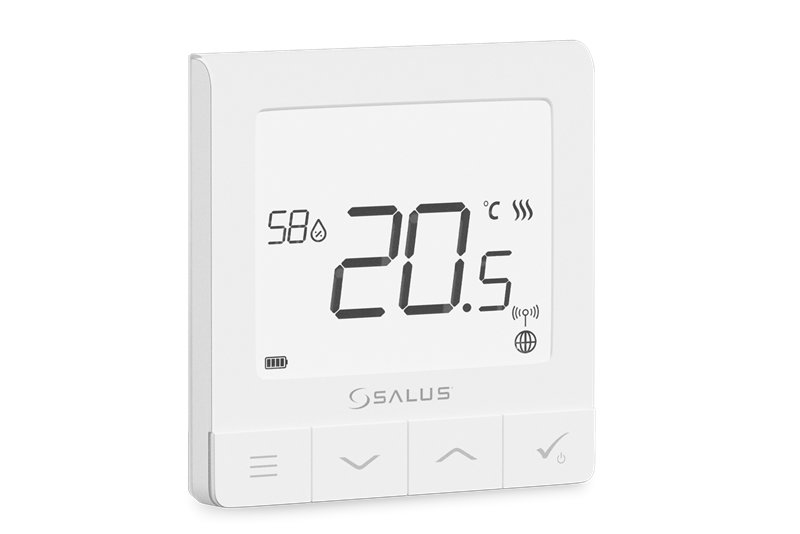
Quantum RF Programmable Thermostat

Good Stock

Product Code: 86522130

MPN: SQ610RF

Description

Introduction


The SQ610RF Quantum is a ZigBee temperature controller for wireless control of iT600 series devices, such as the KL08RF wiring centre, mini TRV head, RX10RF boiler control module.
In order to control SQ610RF over the Internet or via the SALUS Smart Home mobile app (ONLINE mode), it must be installed together with the UGE600 Internet gateway (sold separately). From the application level, it is possible to pair SQ610RF with other system elements, e.g. Smart Plug SPE600, Smart Relay SR600 or window/door sensor OS600/SW600.
SQ610RF can be used locally without an Internet connection (OFFLINE mode), however, it’s communication with other devices must be done using the CO10RF coordinator (sold separately). 

Short description of some selected functions

  1. DISPLAY TEMP RESOLUTION: This function determines the resolution of the displayed temperature - User can temperature set by steps (every 0,5°C or 0,1°C).
  2. CONTROL ALGORITHM: This function defines how to control the room temperature. Available options 
    are: ITLC for Underfloor Heating / Radiators / Electrical Heating (that’s advanced algorithm for precise maintenance of room temperature), hysteresis +/-0.5°C or +/-0.25°C, THB Actuator (option recommended for systems with THB auto balancing actuators).
  3. S1/S2 INPUT: A floor sensor, an external temperature sensor or an occupancy sensor can be connected 
    to the S1/S2 input of SQ610RF. Additionally, by connecting a NO type of ON/OFF voltage-free contact, you can use this input as a OneTouch rules trigger (programmed in the Salus Smart Home app) or as a Heat/Cool changeover.
  4. VALVE PROTECTION: This function activates all actuators once a week for 5 minutes (in summer, this function helps to prevent the actuators stuck).
  5. MIN TURN OFF TIME: Minimum switch-off time (thermostat will not send the signal for heating/cooling more often than specified in this parameter).
  6. OPTIMISATION FEATURE: Optimum Start and Optimum Stop functions are energy saving feature that makes thermostat most cost effective (in combination with ITLC control algorithm).
  7. COMFORT WARM FLOOR: This function helps to keep the floor warm, even if the room is warm enough and there is no need to turn on the heating. User can select 3 levels of warm floor feature. Please note it is 
    not an economy feature, as your heating system may be ON even if there is no heating demand from the room thermostat. It is COMFORT feature which keeps your floor warm all the time.
  8. DEVICE INFORMATION: In this menu user can check: Software Version, Battery Level, RF range value, Paired devices or also user can activate Identification mode.
    FACTORY RESET: Here you can RESET your device to factory settings. After successfull reset device will be removed from ZigBee network and you will need to add / pair your device again. 
View full details

Got Questions?

Get expert advice on this product. Our technical team can answer your questions and help you choose the right solution for your needs.

0191 516 6554
tech@seconrenewables.com
Get In Touch